Every camera.
Every drive. Yours.
Review six-camera dashcam footage on your desktop. Turn a Raspberry Pi into a smart USB drive that archives itself. Map and analyze every mile — local-first, and yours.
Tools that work together
From viewing footage to archiving it automatically to analyzing every mile — each piece works alone, and they work better together.
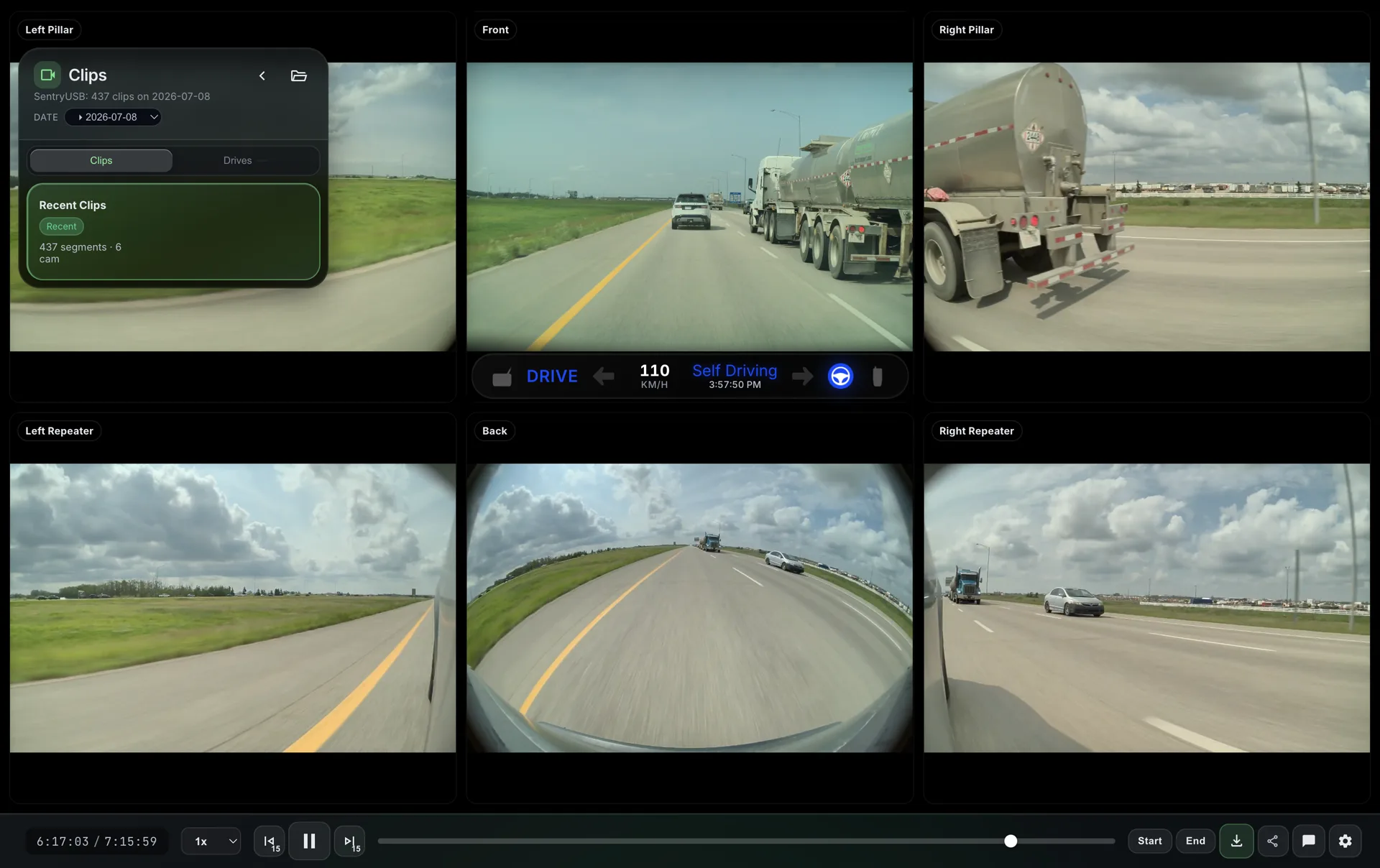
Sentry Studio
Up to six Tesla camera feeds in sync, with real telemetry — speed, gear, Autopilot state — decoded from the SEI data embedded in every clip. Export with GPU acceleration and privacy blur, then share with a link.
- Six-camera synced playback
- SEI telemetry overlays
- GPU-accelerated export with blur zones
- GPS route mapping · 13 languages
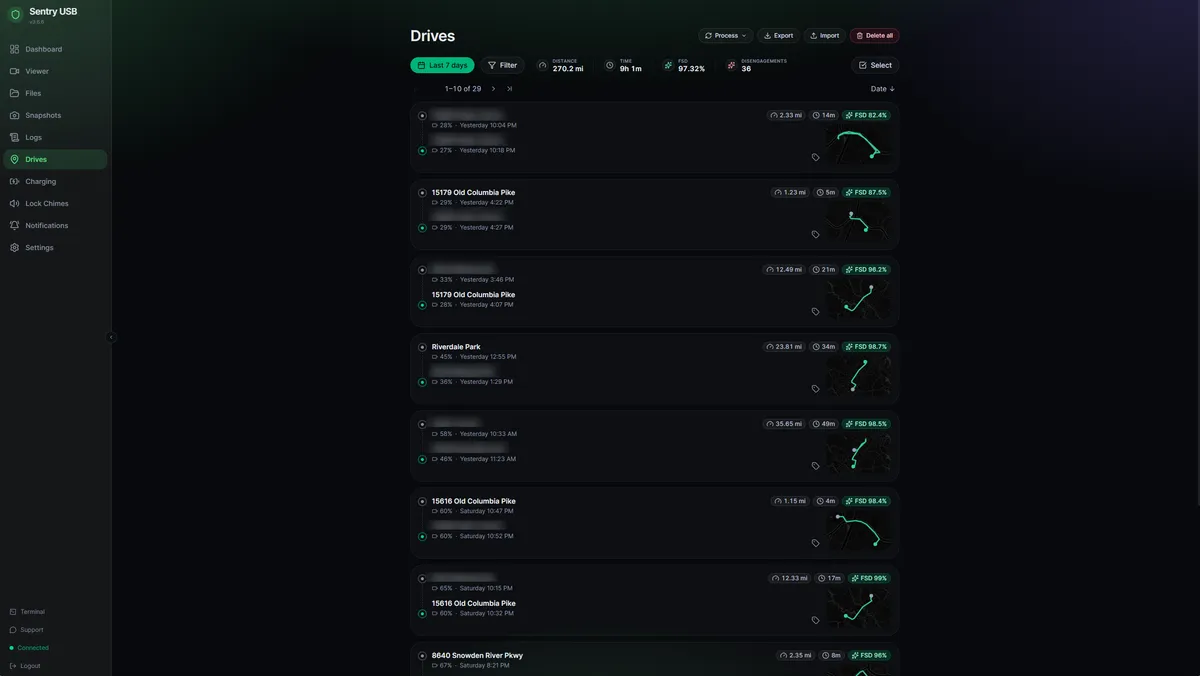
Sentry USB
A Raspberry Pi that your Tesla sees as a USB drive — and you see as a full dashboard. It tracks every drive with routes, battery, and FSD stats, archives footage automatically, and talks to your car over BLE. Rewritten in Rust.
- Drive tracking with routes, battery & FSD stats
- Charging history with cost tracking
- Auto-archive to NAS or cloud · 12 notification providers
- Guided 11-step setup wizard — no config files
Sentry Drive
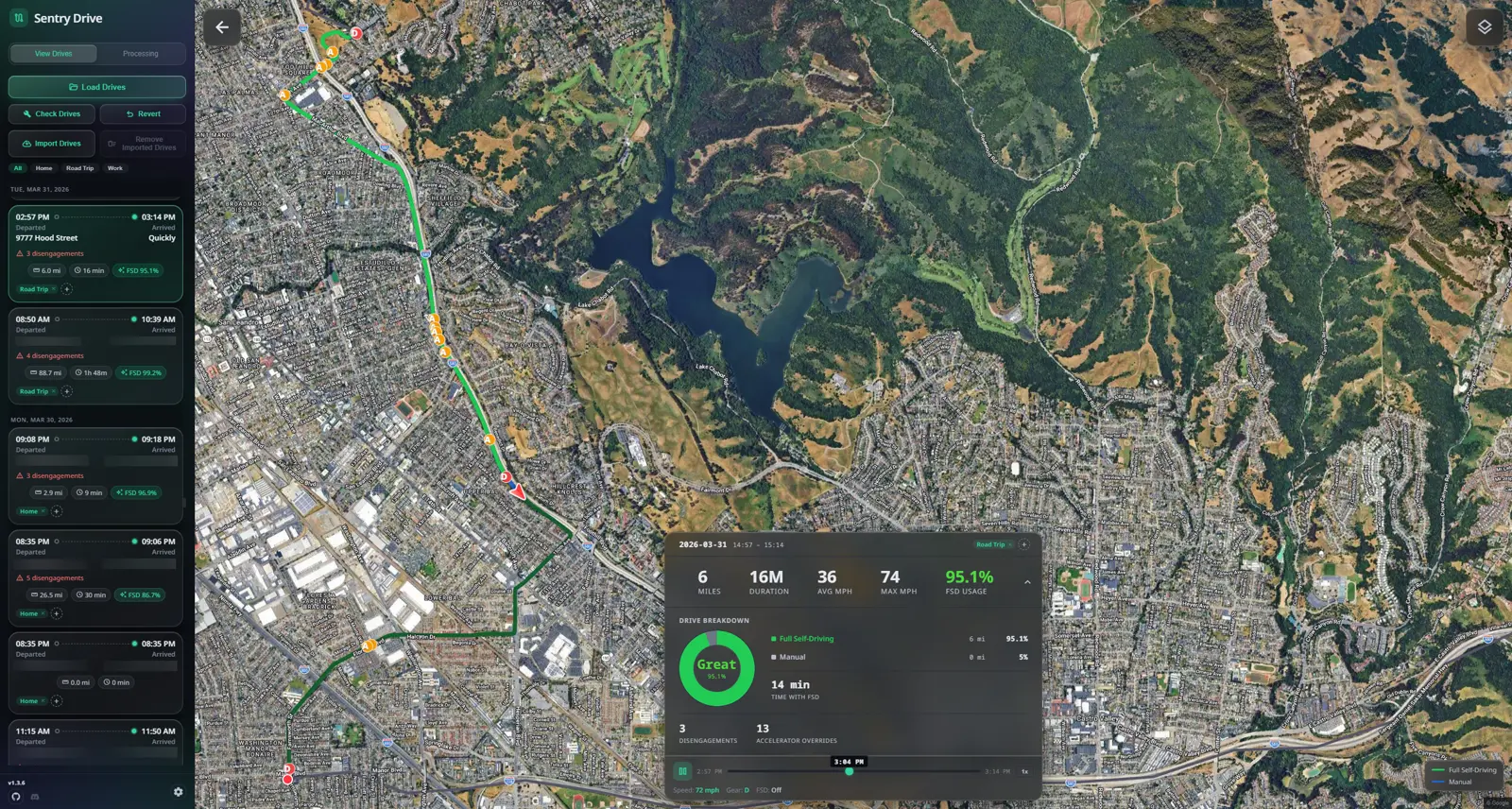
Every drive you have ever taken, plotted on a map with FSD usage, disengagements, speed, and distance. Replays at up to 10x. Imports from Tessie, Teslascope, or straight from your TeslaCam folder — processed entirely on your computer.
- Every drive visualized on a map
- FSD analytics — even on Hardware 3
- Tessie & Teslascope import
- Reads Sentry USB drive data automatically
Sentry Connect
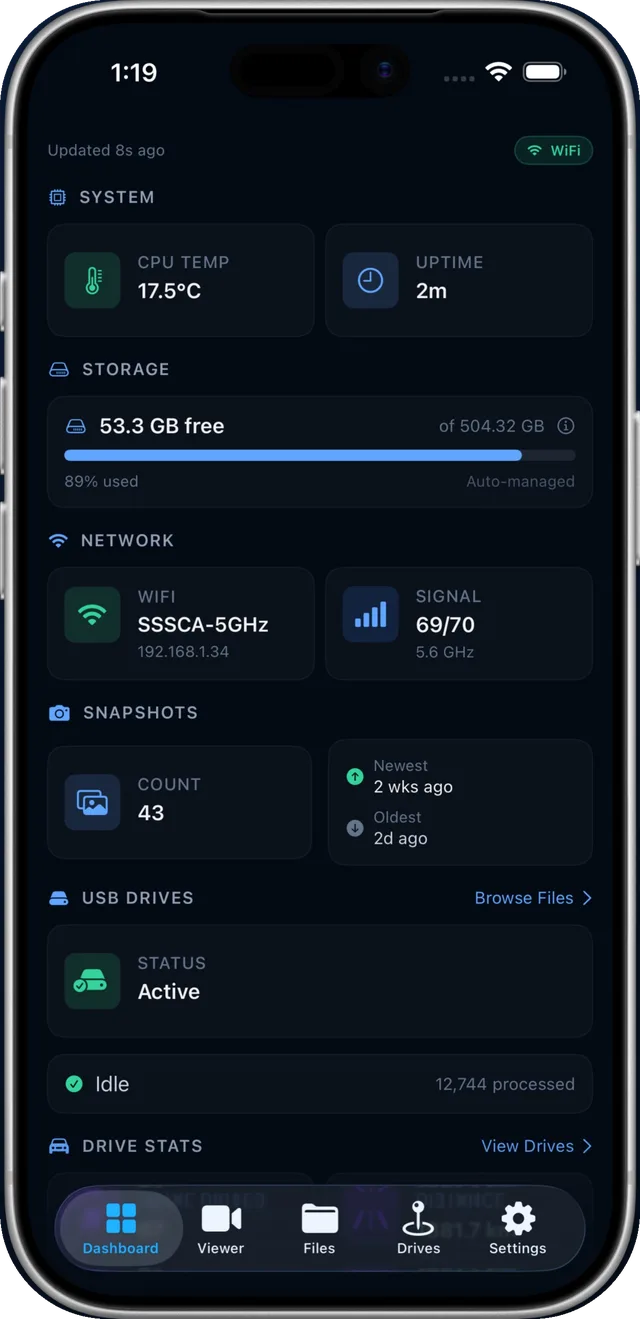
Your Pi in your pocket. A native SwiftUI app with a real-time dashboard, multi-camera viewer, drive stats with maps and charts, a file browser, and push notifications the moment something happens.
- Native SwiftUI · iOS 17+
- Multi-camera viewer with 5 layouts
- BLE setup — no Wi-Fi required
- Push notifications via APNS
Sentry Cloud
BetaOptional encrypted drive and charging-history sync for Sentry USB. Requires a Sentry Cloud account and uses separate plans and policies. Dashcam video is not uploaded by this sync service.
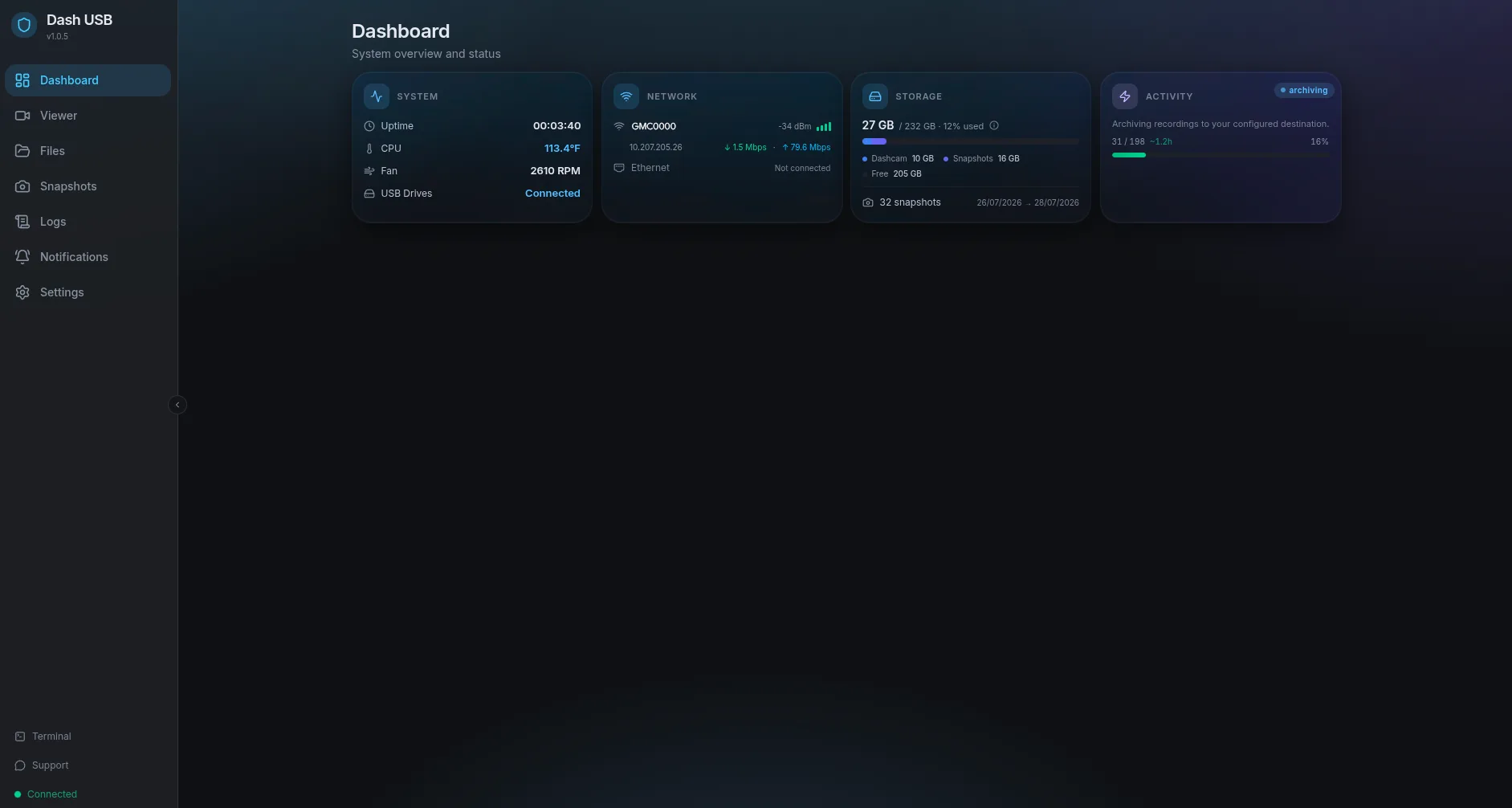
Now for GM vehicles: Dash USB
A separate Sentry Six product built specifically for supported GM vehicles with the built-in Surround Vision Recorder.
A Raspberry Pi your GM vehicle sees as a USB drive
Why Sentry Six
Source on GitHub
Sentry Studio and Sentry Drive are MIT-licensed; Sentry USB and Dash USB are source-available under PolyForm Noncommercial. Inspect the code, file issues, contribute.
Privacy first
Core viewing and analysis work locally without an account. Optional sharing, sync, and support use online services. Our Privacy Policy explains update checks and other network requests.
Built for performance
GPU-accelerated exports on desktop, a Rust core on the Pi, native SwiftUI on iOS. Fast everywhere it matters.
Community driven
Built by Tesla owners, for Tesla owners. Feature requests and contributions shape every release.
Get started
Up and running in minutes. Pick a product and follow the steps.
Sentry Studio
Releases on GitHub- 1Download for your platform
- 2Run the installer
- 3Select your TeslaCam folder
Sentry USB
- 1Flash Raspberry Pi OS Lite (64-bit) to an SD card
- 2Run the one-line installer over SSH
- 3Open sentryusb.local and finish the setup wizard
Dash USB
- 1Flash Raspberry Pi OS Lite (64-bit) to an SD card
- 2Run the one-line installer over SSH
- 3Open dashusb.local and finish the setup wizard
Sentry Connect
iOS 17+- 1Download from the App Store
- 2Pair with your Sentry USB Pi
- 3Open your Pi dashboard
Community
Connect with other owners, get support, and help shape the roadmap.
Discord
Get help, share clips, and talk to the team. Most support happens here.
Join the serverSentry Studio
Star the repo, file issues, and contribute to the desktop viewer.
View on GitHubSentry USB
The Rust-powered Pi project. Issues, discussions, and the setup wiki live here.
View on GitHubDash USB
A separate archiver for supported GM vehicles with Surround Vision Recorder. Issues, discussions, and the setup wiki live here.
View on GitHubSentry Drive
The drive analytics desktop app. MIT-licensed and open to contributions.
View on GitHub