Sentry Drive
See every drive you've ever taken. FSD usage, disengagements, speed, and distance — plotted on a map and stored entirely on your computer. Point it at your TeslaCam folder and start exploring.
macOS builds are unsigned — after first launch, allow it under System Settings → Privacy & Security → Open Anyway.
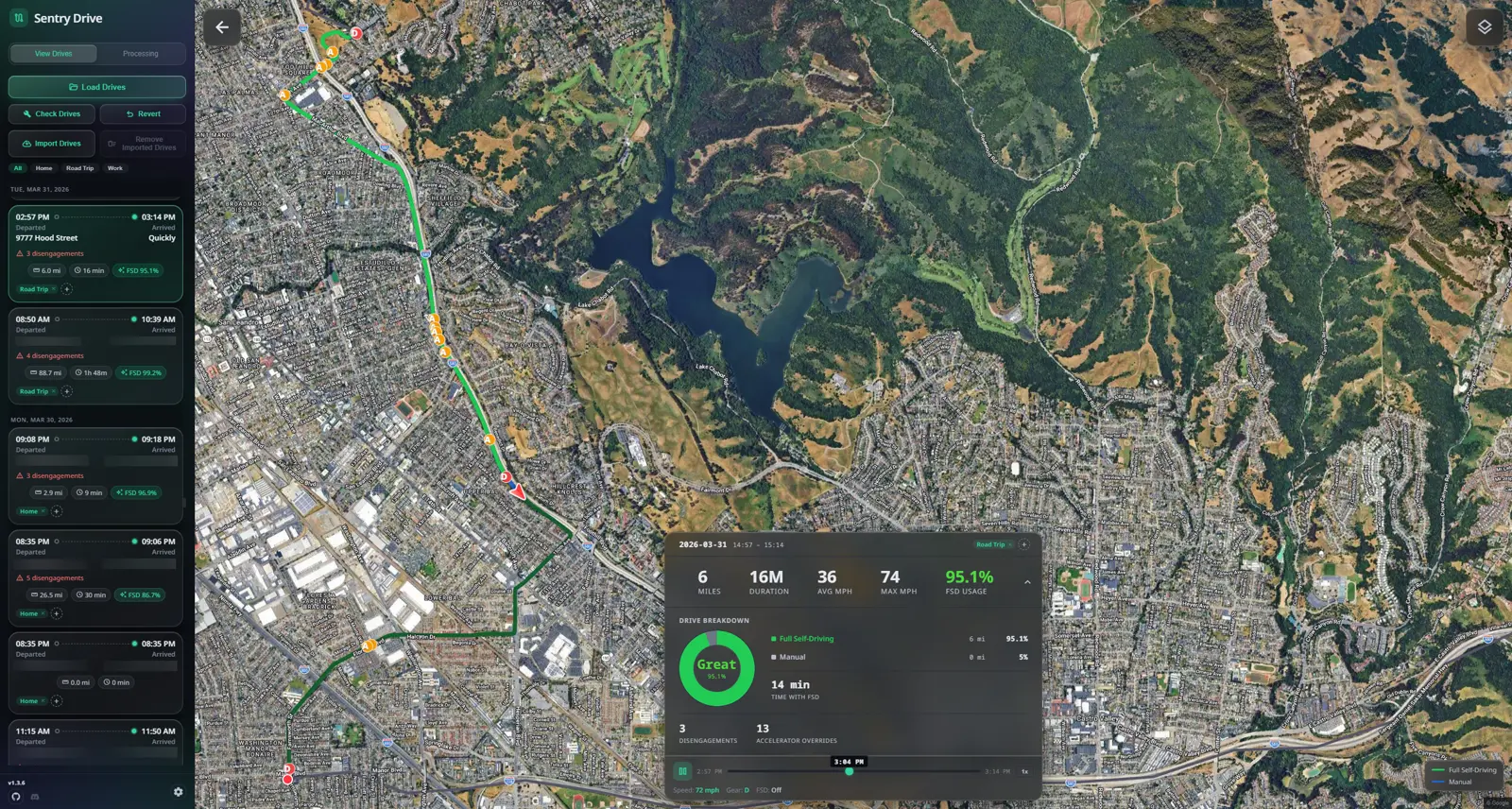
Your driving history, decoded
Every Drive on a Map
All your drives plotted on OpenStreetMap, CARTO, or Google Maps with satellite view — built from the SEI data Tesla embeds in every clip.
FSD Analytics
Track FSD, Autopilot, TACC, and manual miles — even on Hardware 3. See every disengagement and accelerator override, with a color-coded FSD score.
Drive Timelines
Replay any drive in detail at up to 10x speed, with a custom replay marker and speed and state data at every point.
Drive Tagging
Add custom tags to your drives to keep commutes, road trips, and errands organized and filterable.
Tessie & Teslascope Import
Import your full drive history from Tessie (API or CSV) or connect your Teslascope account. Running Sentry USB? Your drive data is detected and loaded automatically.
Local-First Privacy
Drive analysis runs on your computer, with streaming imports for large histories. Online map tiles and optional integrations contact the providers described in our Privacy Policy.
Better together with Sentry USB
Sentry USB records and archives your drives automatically; Sentry Drive turns that history into maps and analytics. Drop in your drives-data.json — or keep it in your TeslaCam folder and it loads itself. Drives even pick up your car's own reported address from Sentry USB's BLE telemetry — exact, offline, no internet lookup.
Know your miles
Free, MIT-licensed, and local-first. Your drive history belongs to you.
Explore the rest of the ecosystem