Dash USB
Turn a Raspberry Pi into a smart USB drive for GM vehicles with Surround Vision Recorder. The car sees a normal dashcam drive. You get footage that survives the rolling 2-hour delete, automatic archives to storage you control, and a four-camera viewer in your browser.
Your footage, on your terms
Beats the 2-Hour Limit
GM's Surround Vision Recorder deletes footage on a rolling 2-hour window, no matter how big the drive is. Dash USB snapshots recordings before the delete reaches them, so your history is limited by your storage, not the firmware.
Virtual USB Drive
The Pi presents a FAT32 drive that meets the requirements the vehicle checks for. Plug it into the USB-C port and the car records to it like any stick.
Multi-Camera Viewer
Synchronized playback of the front, left, right, and rear cameras right in the browser. Interior camera on supported models.
Auto-Archive
CIFS/SMB, NFS, rsync, or rclone for cloud storage including S3. Archiving kicks off automatically whenever the Pi sees your archive destination.
Travel Mode
Archive over an always-on connection such as the vehicle's hotspot, a tethered phone, or a VPN. Archiving runs on a timer and the drive stays connected to the car.
Setup Wizard
After the one-line installer, everything is configured from a 9-step wizard in the browser at dashusb.local. Re-run it anytime; it preserves your config.
OTA Updates
The Pi checks GitHub releases and updates itself, including the scripts around the binary. No SD card reflashing to stay current.
Notifications
Pushover, ntfy, Gotify, Discord, Telegram, Slack, Signal, Matrix, AWS SNS, IFTTT, webhooks, and native iOS push via Sentry Connect.
Privacy-First
No device fingerprint by default. Analytics are opt-in, and every network flow is disclosed in plain language.
See it in action
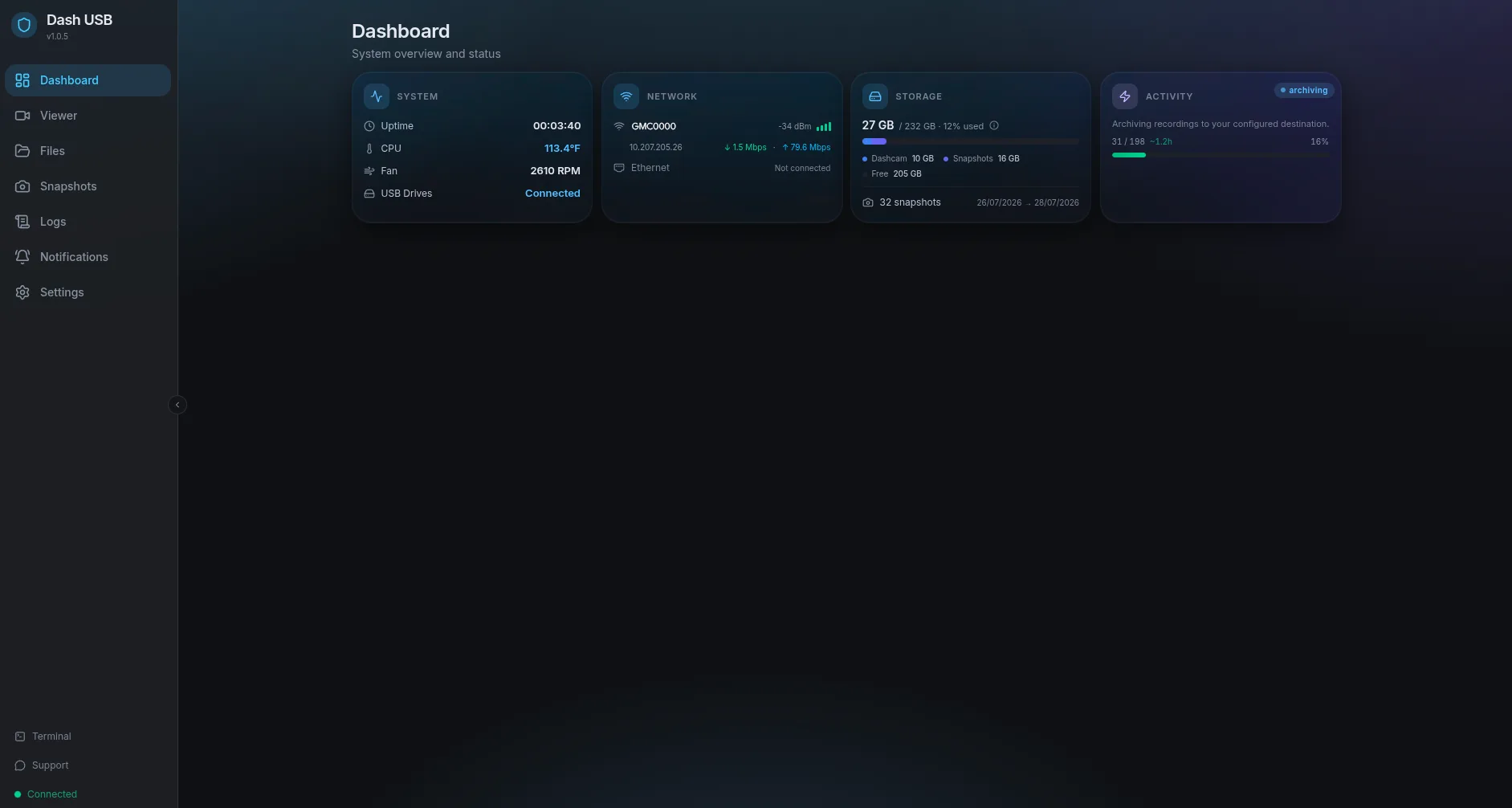
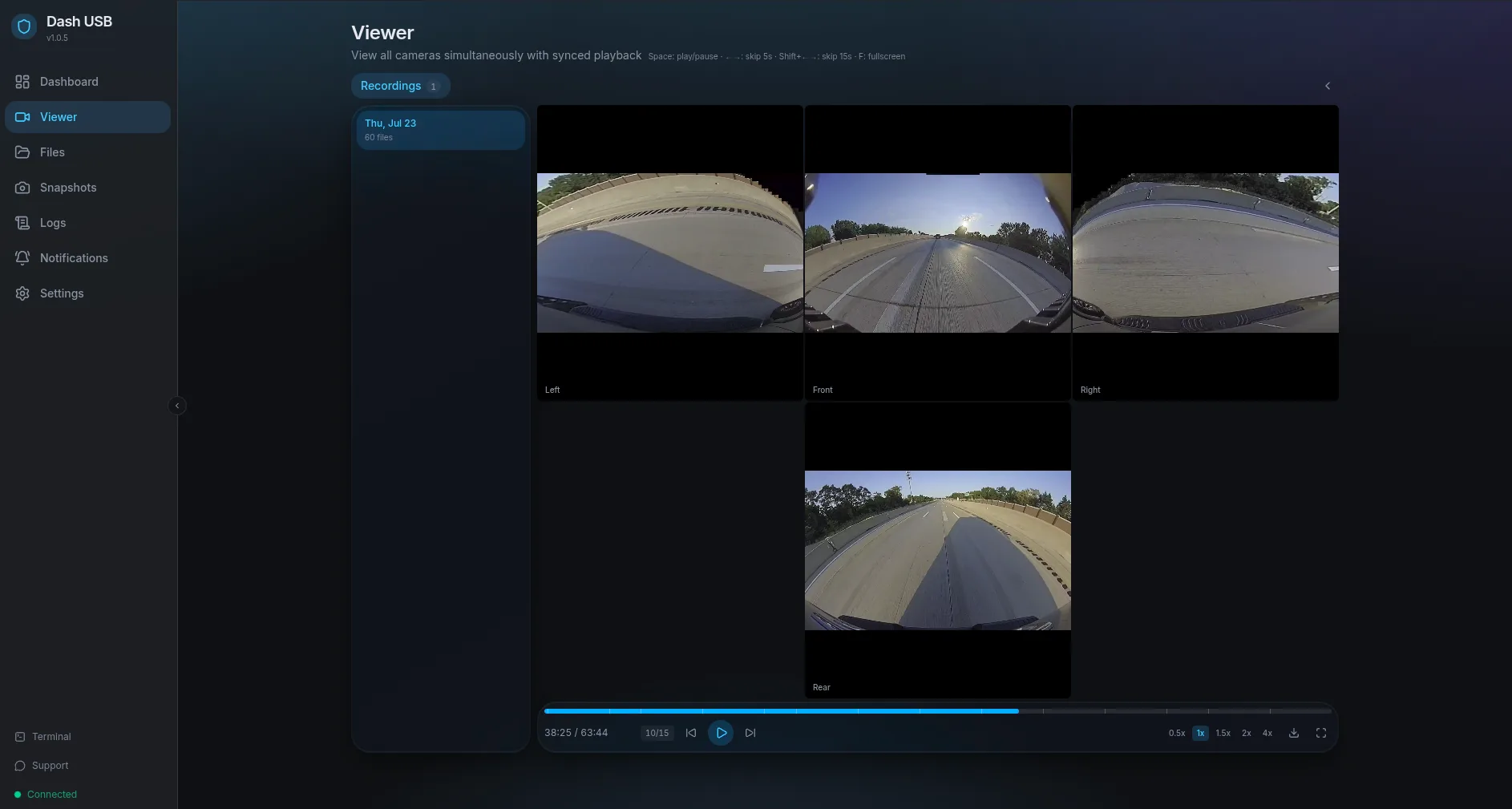
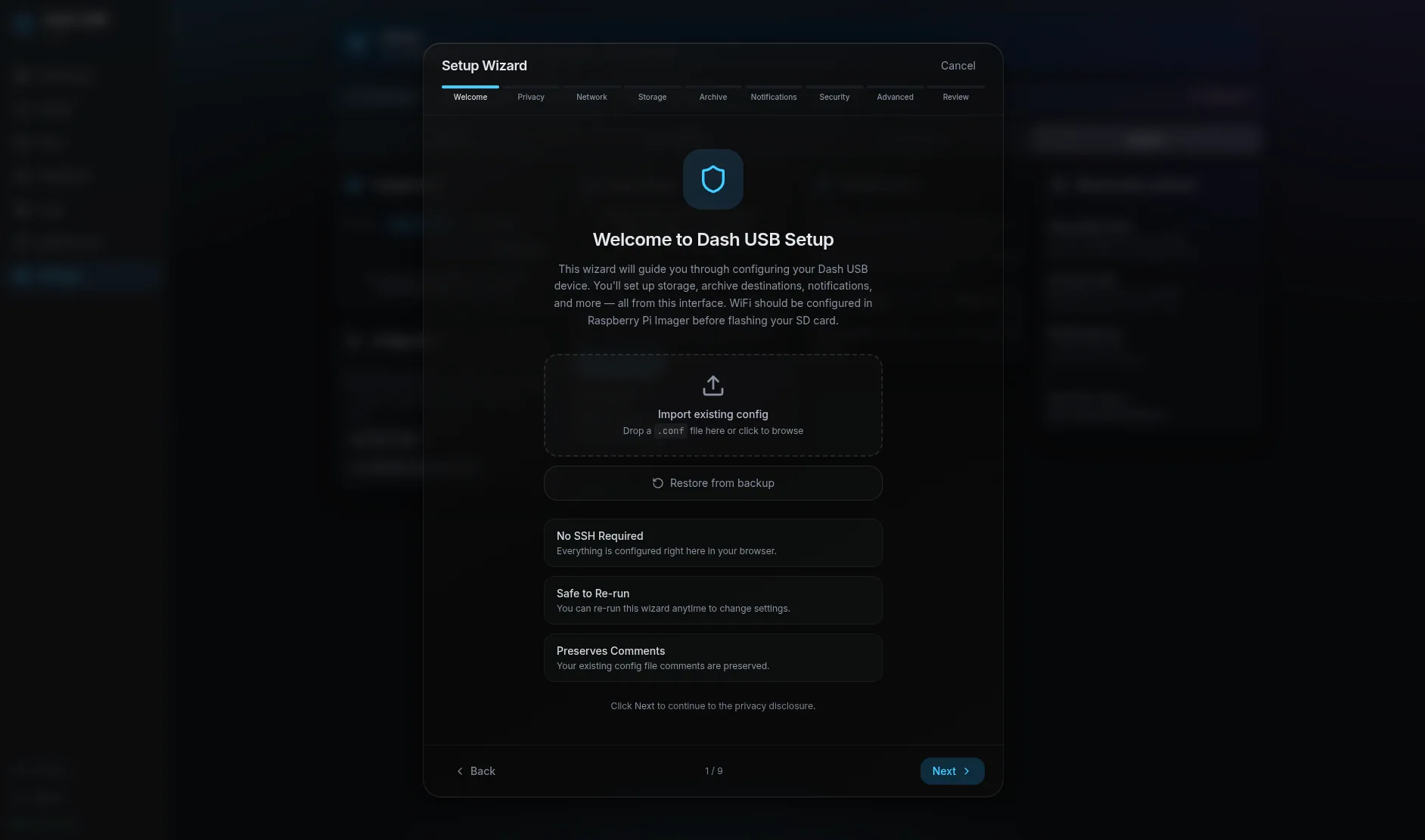
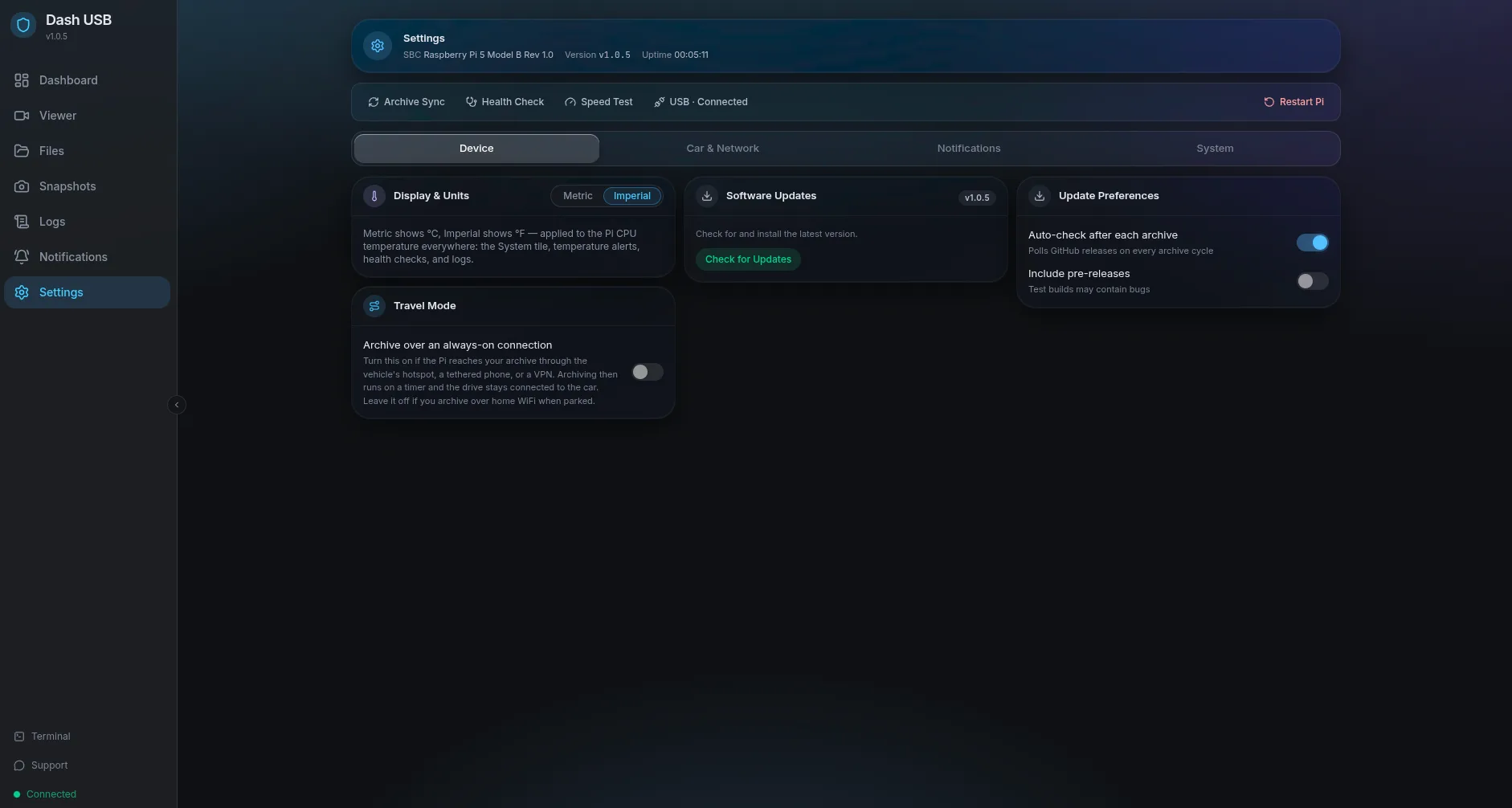
Up and running in five steps
- 1Flash Raspberry Pi OS Lite (64-bit) to a 256 GB+ SD card
- 2SSH in and run the one-line installer
- 3Open dashusb.local in a browser
- 4Complete the 9-step setup wizard, no config files
- 5Plug the Pi into your vehicle's USB-C port with a data cable
Run sudo apt update && sudo apt upgrade -y first so a stale Pi OS image doesn't hit 404s during install.
Compatible hardware
You'll also need a 256 GB+ high-endurance MicroSD card (512 GB recommended; the car records about 5 GB per hour and Dash USB keeps it) and a USB-C data cable, not charge-only.
Keep every mile
Two hours of history is not enough. Let the Pi keep all of it.
Explore the rest of the ecosystem